
Android APK · Free Download

Download the 2J App — Latest 2J APK

The full 2j game lobby in a single install under 40 MB. Seventy-seven slot titles, the promotions centre, the cashier and live support — all cached locally so the app opens faster than the browser after the first launch. Setup takes about three minutes from tap to first spin.

Free download · No registration required to install · Android 6.0+ · 18+ only

File sizeUnder 40 MB
Android6.0 and up
PriceFree
Slot titles77+
LanguagesEN / UR
Setup time~3 minutes
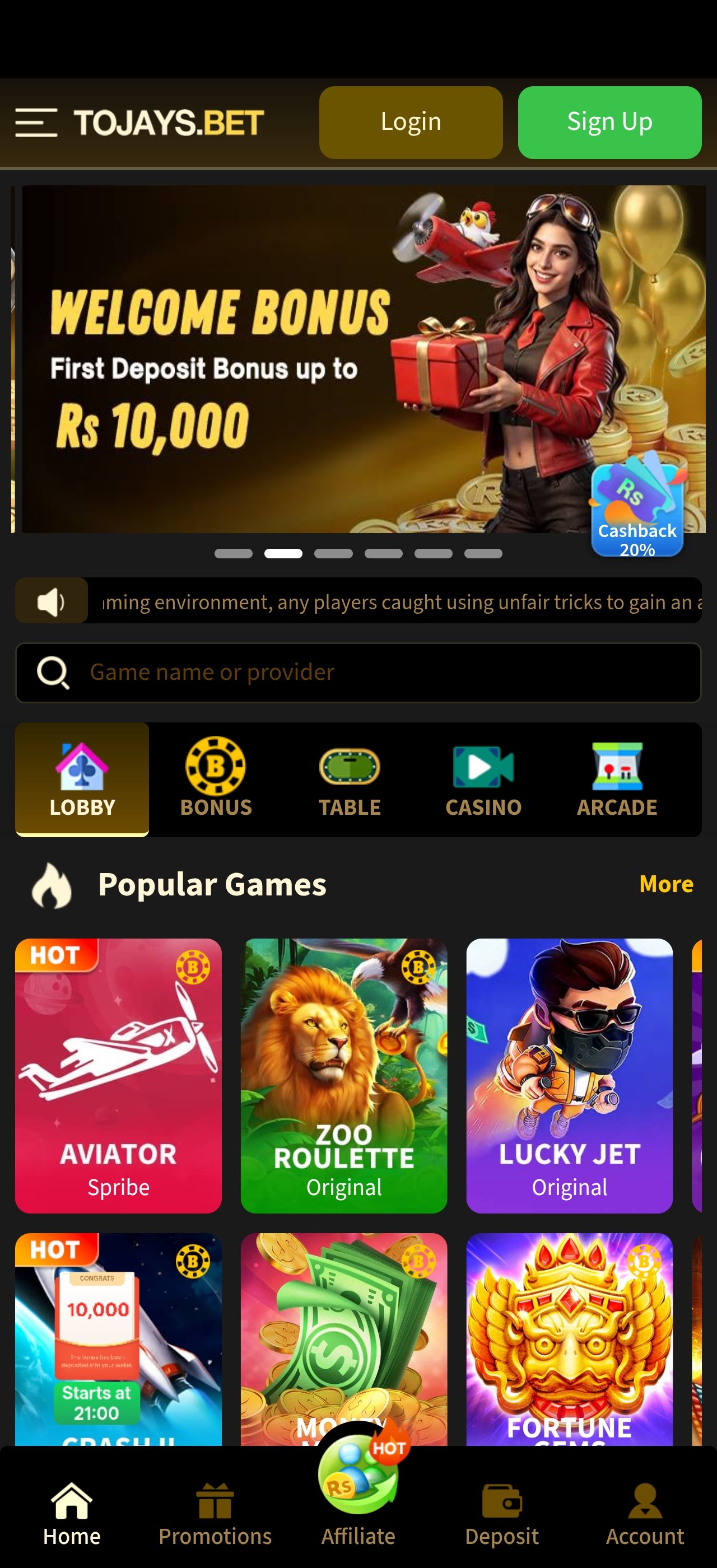
2J app home screen with the Rs 10,000 welcome bonus banner and popular games
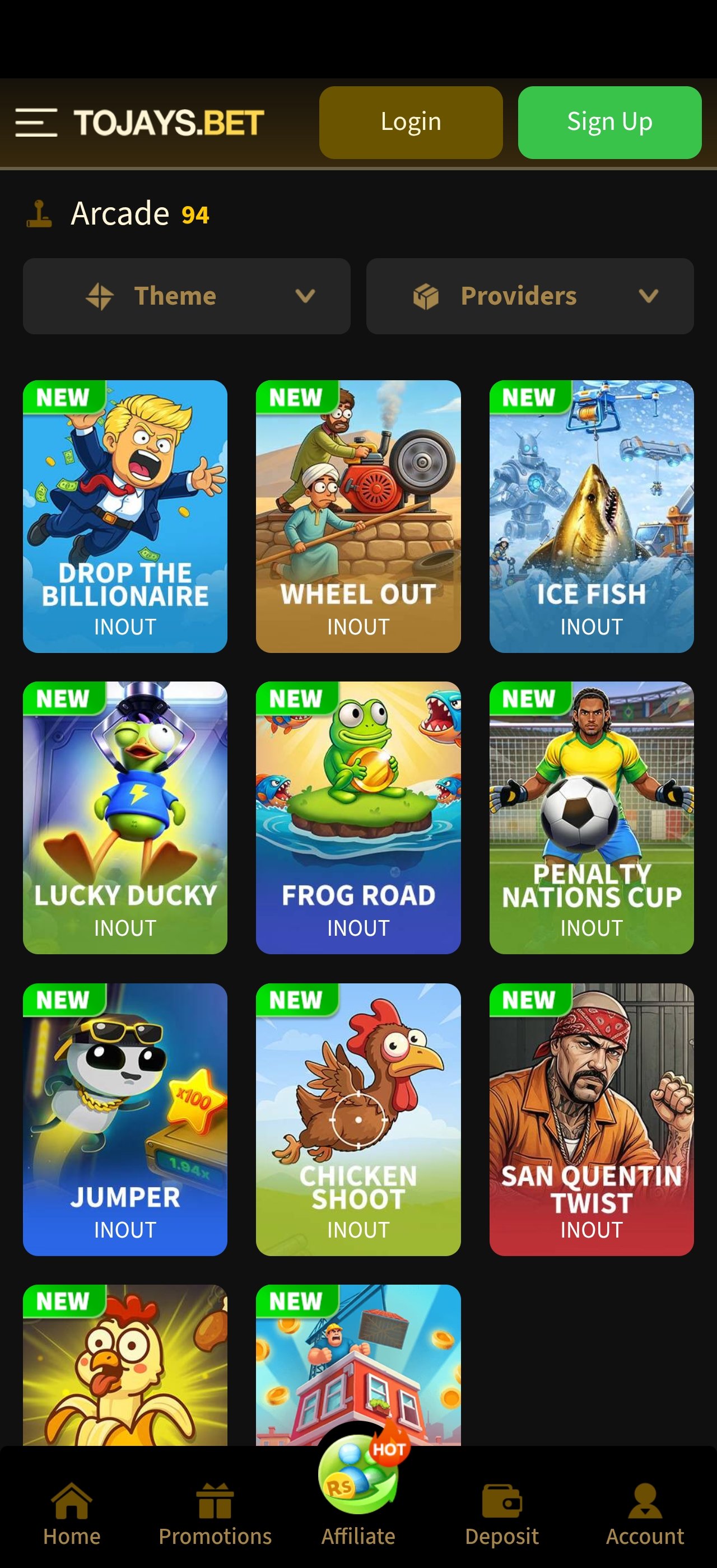
2J app arcade section showing available game titles
Installation Guide

Install the 2J App in Four Steps

Written for a first-time Android sideload, with the manufacturer differences and the common failure points included rather than glossed over.

Permission

Allow Installs From Your Browser

Android blocks sideloaded apps until you explicitly permit the app that will open the file. Go to Settings → Apps → Special app access → Install unknown apps, pick the browser or file manager you will use, and switch the permission on.

The exact menu path varies slightly by manufacturer. On Samsung it sits under Apps → Special access; on Xiaomi under Settings → Privacy protection → Special permissions.

Tip: grant the permission to one app only, and switch it off again afterwards if you prefer.

Download

Get the Latest 2J APK

Tap the official download button on this page. The transfer is under 40 MB and normally completes in well under a minute on 4G. Let it finish completely before you touch the file.

Download only from the button we publish. Repackaged builds of a popular 2j new apk circulate widely in group chats and are the single most common route to a compromised account.

Tip: if the download stalls, delete the partial file and restart rather than resuming.

Install

Open the File and Confirm

Open the APK from your notification shade or the Downloads folder. Android shows a standard caution screen for any sideloaded app — this is about the install method, not this specific file. Tap Install, then wait a few seconds.

If you already have an older build and the install fails with a package or signature error, uninstall the old version first, then install the new one fresh.

Tip: your account lives on the server, so uninstalling never affects your balance or history.

Launch

Sign In, Verify, Then Play

Open the 2J app, register or sign in, and complete identity verification straight away — doing it now is the main reason some players never experience a payout delay later.

Review the live welcome bonus terms before opting in. If the wagering requirement does not suit how you actually play, decline it; a declined bonus costs you nothing at all.

Tip: set a session spend limit before your first spin, not after.

Compatibility

Device Requirements

The app is built to run on the phones people in Pakistan actually own, not just current flagships. If your device meets the minimum column it will run; the recommended column is where heavier cascading and cluster-pays titles feel smoothest.

2J app minimum and recommended device requirements
RequirementMinimumRecommended
Operating systemAndroid 6.0 MarshmallowAndroid 10 or newer
RAM2 GB3 GB or more
Free storage250 MB500 MB
ProcessorQuad-core 1.4 GHzOcta-core
Screen720 x 12801080 x 2340 or higher
ConnectionStable 3G4G / LTE or Wi-Fi
PermissionsStorage (asset caching) and network access only
iOSiOS 13+ via mobile browser and Add to Home Screen

Figures are indicative and can shift slightly between builds as new titles are added to the lobby.

Playing Without Installing Anything

The app is optional. Every feature — the slot lobby, promotions, the cashier, support — is available in the mobile web build, which is what iOS users use by default and what most desktop players prefer.

Choose the web build if you are short on storage, use an iPhone, share a device, or simply want to try the platform before committing an install. Choose the 2j app if you play regularly and want faster game loads, persistent sessions and promotion notifications.

  • Android + regular play → install the APK
  • iPhone or iPad → browser + Add to Home Screen
  • Shared or low-storage phone → browser only
  • Desktop → browser, no install available or needed

What the App Includes

  • Full slot library across ten categories
  • Promotions centre with cashback and leaderboard offers
  • Cashier with local wallet and bank transfer methods
  • VIP Club tiers — rakeback, level-up and weekly cashback
  • In-app live support plus direct Telegram links
  • Account area with verification and transaction history
  • English and Urdu interface support
Verified Safe File Official Source
File Safety

How to Be Sure You Have the Genuine File

Sideloading is safe when the source is. Almost every compromised gaming account traces back to an APK obtained from somewhere other than the official link — so this is the one rule worth being pedantic about.

  • Download only from the button on this page. Not from a forwarded chat file, a mirror site, or a "faster" link someone shares in a group.
  • Ignore any file offered as a "modded" or "hacked" build. There is no version with better rates. Those builds exist purely to harvest logins.
  • Never pay to download. The APK is free. An activation fee is always a scam.
  • Check the size. The genuine build is under 40 MB. A dramatically larger or smaller file is a red flag.
  • Never share your password or OTP. No agent will ever ask. Anyone who does is attempting account theft.
First Session

What to Do in the First Ten Minutes

Getting these five things right at the start removes almost every friction point players report later — especially around withdrawals.

Set a Unique Password

Not one you use for email, social media or banking. A reused password means one unrelated breach elsewhere becomes a compromised gaming account here.

Complete Verification Now

Submit clear, uncropped ID photos in good light, with a name that matches your account exactly. Verifying at signup is the single biggest reason some players never wait on a payout.

Test With a Small Deposit

Use the minimum first. It confirms your payment method works end to end and tells you exactly how long crediting takes on your specific wallet or bank.

Set Time and Spend Limits

Decide both numbers before your first spin, while judgement is unaffected by a session. Treat the deposit as spent the moment it lands.

Read the Bonus Before Opting In

Check the wagering multiple, validity window and max bet while active. If any of it does not fit how you play, decline — a declined bonus costs nothing.

Save the Support Channel

Join the official Telegram group now, not when something breaks. Having it saved means you never search for help mid-problem and never fall for an impostor.

Fixes

Troubleshooting the Install

Five problems account for almost every failed install. Work through them in this order before contacting support — most are resolved in under a minute.

Common 2J APK install problems and fixes
SymptomMost likely causeFix
"App not installed"Older build still presentUninstall the previous version, then install fresh
Install button greyed outUnknown-sources permission offRe-enable it for the browser or file manager
File will not openIncomplete downloadDelete the file and download again on a stable connection
"Insufficient storage"Under 250 MB freeClear cache or remove unused apps, then retry
App opens then closesCorrupt cache or low RAMRestart the phone, close background apps, reopen
Games load slowlyFirst-run asset cachingNormal on first open — subsequent loads are much faster

Still stuck? Message support on Telegram with your phone model, Android version and a screenshot of the exact error. That combination usually gets it solved on the first reply.

Keeping the App Updated

Automatic update prompts

The app checks for a newer build on launch and prompts you when one exists. Accepting that prompt is safer and faster than searching for a file elsewhere.

Release announcements

Every genuine release is posted in the community channel. If you see a 2j new apk shared somewhere else first, treat it as unverified.

Your data is safe across updates

Account balance, history and verification live on the operator's servers. Updating — or even uninstalling — never touches them.

When to reinstall completely

If the app crashes repeatedly after an update, uninstall and install the current build fresh. It clears a corrupt cache faster than any other fix.

Download FAQ

2J App & APK — Frequently Asked Questions

Yes. The 2j app is free to download and free to install — there is no purchase, subscription or unlock fee at any stage. The only money involved is an optional deposit if you decide to play for real stakes, and that is entirely your choice.

If anyone asks you to pay for the APK itself, for a "premium version", or for an "activation code", it is a scam. The genuine file is always free from the link published on this page.

Android shows a caution message for every app installed outside the Play Store, regardless of what the app is. It is a generic system warning about the install method, not a specific verdict on this file. Banking apps distributed directly by their own companies trigger the identical prompt.

The meaningful safeguard is where you got the file. Download from the button on this page, never from a forwarded chat attachment or a third-party mirror, and the risk that warning exists to flag is the one you have already eliminated.

Android 6.0 (Marshmallow) or newer covers virtually every handset in active use in Pakistan. You need roughly 250 MB of free storage — around 40 MB for the app plus room for cached game assets — and 2 GB of RAM for smooth reel animation. Devices with 3 GB or more handle heavy cascading titles more comfortably.

See the device requirements table below for the full specification.

Apple does not allow APK sideloading, so iOS users run the platform in Safari or Chrome instead. Open the site, sign in, then tap Share → Add to Home Screen. iOS creates a launcher icon that opens the platform full-screen without browser chrome — visually and functionally very close to the Android app.

The only real difference is push notifications: the Android build can alert you to promotions, while the iOS shortcut relies on you checking the promotions tab or the Telegram channel.

A partial download is the most common cause of an install failure. Delete the incomplete file, switch to a stable Wi-Fi or 4G connection, and start the download again from the button on this page rather than resuming the broken one.

If the file downloads fully but will not open, check that your file manager or browser still has install permission — some devices revoke it automatically after a period. Then confirm you have enough free storage, and uninstall any older build first so the two package signatures do not conflict.

If you are updating and the install fails with a signature or package error, yes — remove the old build, then install the 2j latest apk fresh. Your account lives on the operator's servers, not on the phone, so uninstalling does not affect your balance, history or verification status.

If the update installs cleanly over the top, there is no need to remove anything.

The link on this page always points at the current build. After installing, the app checks for updates on launch and prompts you when a newer version is available — accept that prompt rather than hunting for a file elsewhere.

Update announcements are also posted in the community channel, which is the quickest way to know when a 2j new apk has actually been released rather than reposted.

Data use is front-loaded. The initial download is under 40 MB, and each game caches its assets the first time you open it — after that, replaying the same title uses very little data. A typical hour of play after caching consumes noticeably less than an hour of video streaming.

Battery use is comparable to any animated mobile game. If you want to reduce it, lower screen brightness and close background apps; the reels are far less demanding than the display itself.

The app requests only the permissions it needs to install and run, and it does not require access to your contacts, messages or photos. Keeping it installed is no different from keeping any other app on your device.

Standard hygiene still applies: keep your phone's screen lock enabled, use a unique password for the account, install updates when prompted, and never let anyone else use your logged-in device.

Use the account recovery option on the login screen first — it works through the mobile number or email you registered with. If that fails, contact the operator on Telegram and be ready to confirm your identity.

Never send your password to anyone, and never respond to a direct message claiming to be staff who contacted you first. Verify every support contact inside the official group before you reply.

Ready When You Are

Get the Latest 2J App and Claim Up to Rs 10,000

Free download, no registration needed to install, and about three minutes from tap to first spin. Strictly for players aged 18 and over — gambling involves financial risk and may be addictive, so set your limit before you start.

2J Game Latest 2J APK · Free download
Play Now